













Skip to content
Free digital signage software

Digital signage that runs itself.

Show your menus, offers and timetables on the TVs you already have. It’s free, and you run everything from your phone.

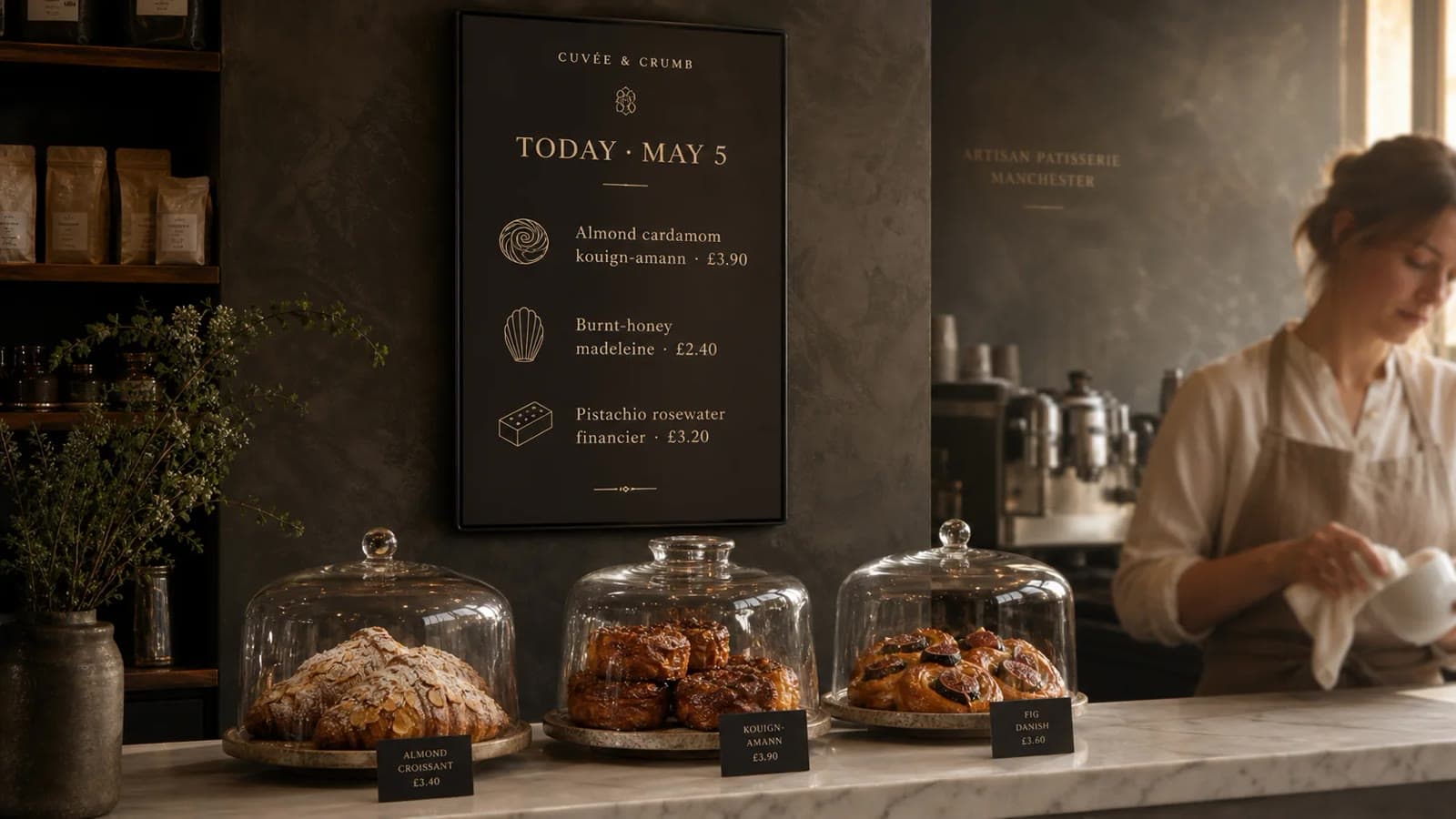
Pastry shop with a café display running its daily menu
Playing now · Counter menuMorning menu until 11:00, then the lunch board.12 screens · 3 venues · all playing
How it works

Up and running in three steps.

Install the free VERSE TV app on your TV, pair it with your phone and choose what plays. There’s no box to buy and nothing to wire.

VERSE
Pairing code482 731Type it or scan the QR in the VERSE app
Code expires in04:58
Step 2

Pair by QR or 6 digits

Scan the code on the TV with the app, or type the six digits. The screen appears within seconds.Pair from the phone →
Step 3

Pick what plays

Choose a playlist, or make one in AI Studio. It plays straight away and follows your schedule.Create content →

Works on the TV you have

Samsung, LG, Google TV, Fire TV, Windows, Linux or any browser
  • Google TV
  • Android TV · Google Play
  • Samsung Tizen
  • LG webOS
  • Amazon Fire TV
  • Windows
  • Linux · Raspberry Pi
  • hub.verse.ad/screenAny browser
Made for your kind of place

See what plays in a place like yours.

A café changes its menu at 11:30. A gym shows today’s classes. A pharmacy shows its services and hours. Pick your kind of place.

Cafés and restaurants · Menu board · 07:00–11:30

Cafés and restaurants

The morning menu until 11:30, the specials the moment they leave the oven, and the brunch board on Saturday.

  • Price boards that switch by time of day
  • Hot drinks when it rains, iced drinks above 22°
  • QR codes for reviews, Wi-Fi and ordering ahead
Digital signage for cafés →
What you can show

Everything you want to show, in one place.

Make it in AI Studio, upload it, or paste a link. Then add it to a playlist or a schedule.

Landing pages, QR codes and social feeds

Someone scans the screen. You get a new customer on your list.

Put a QR code on any slide. It opens a landing page you made in AI Studio, in your brand. Every scan and every sign-up shows up in Screen Manager, by screen and by hour.

Landing pages

A page for each venue, made from one sentence

AI Studio writes and lays out the page in your brand kit. Edit any section, then publish to your own address.
  • Hero, menu or product grid, sign-up form and footer
  • Updates when your menu or offers change
  • Opening hours, booking and directions
QR codes

A code on the screen, counted per screen

Add the QR slide to a playlist, show it on one screen, or print it for the tables.
  • Scans by hour, by screen and by venue
  • Each screen gets its own code, so you see where people scan
  • Works offline: scans sync when the player is back
Leads

Sign-ups you own

Email sign-ups from the page land in Screen Manager with the date and the screen they came from.
  • Captured leads table with export to CSV
  • Sign-up rate next to scans
  • Loyalty cards, newsletters and event lists
Social feeds

Your latest posts and reviews on screen

Show recent Instagram posts and Google reviews as a playlist item that refreshes by itself.
  • A reviews wall in AI Studio
  • Mixed into playlists like any other item
  • Choose which posts and ratings appear
AI Studio for venues

Your menu, in your brand, by 07:00.

Describe what you need in one sentence. AI Studio designs it with your logo, colours and fonts, ready to schedule.

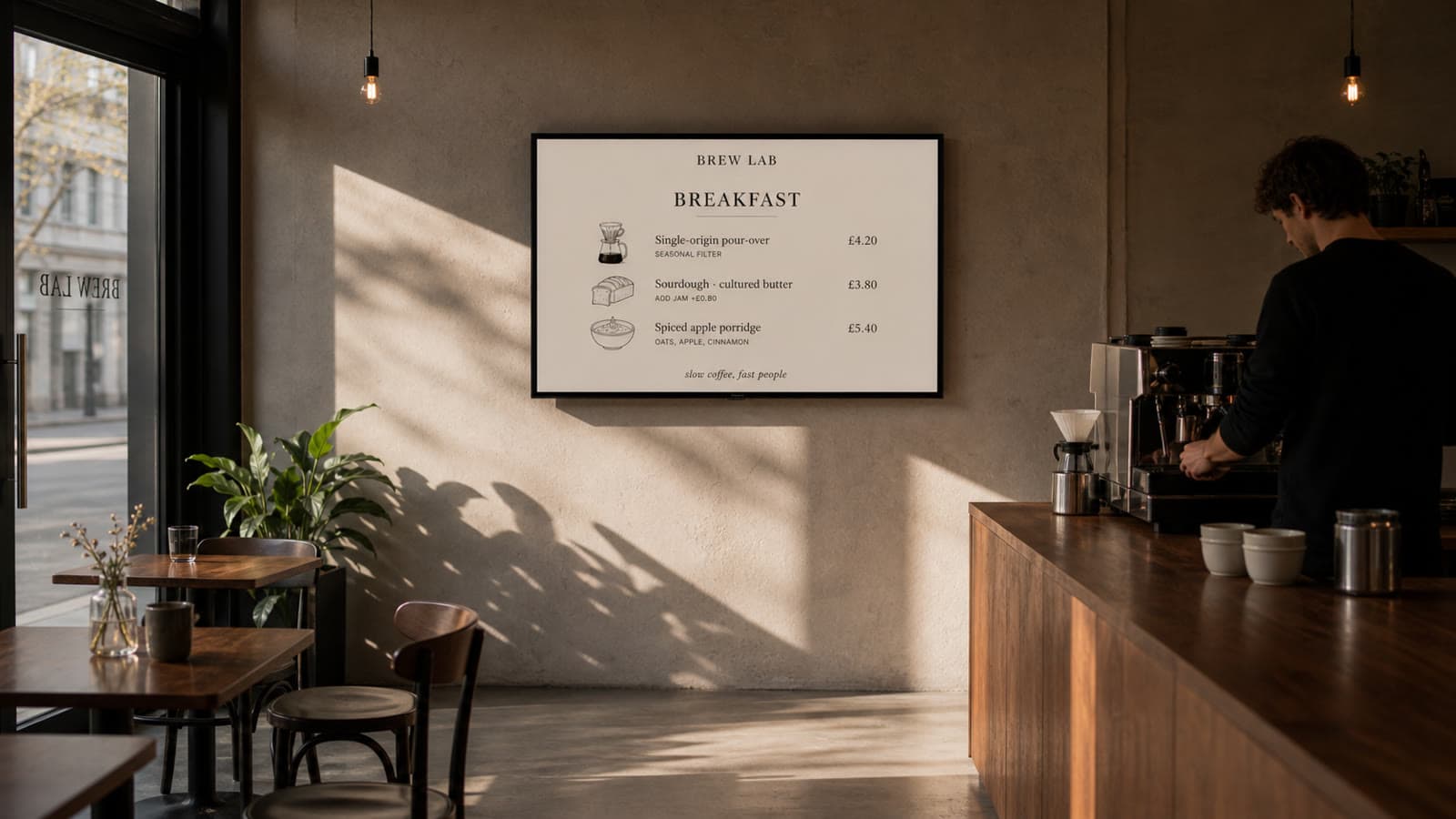
Brew Lab design made in AI Studio: Pour-over · sourdough · spiced porridge
Brew LabPour-over · sourdough · spiced porridge
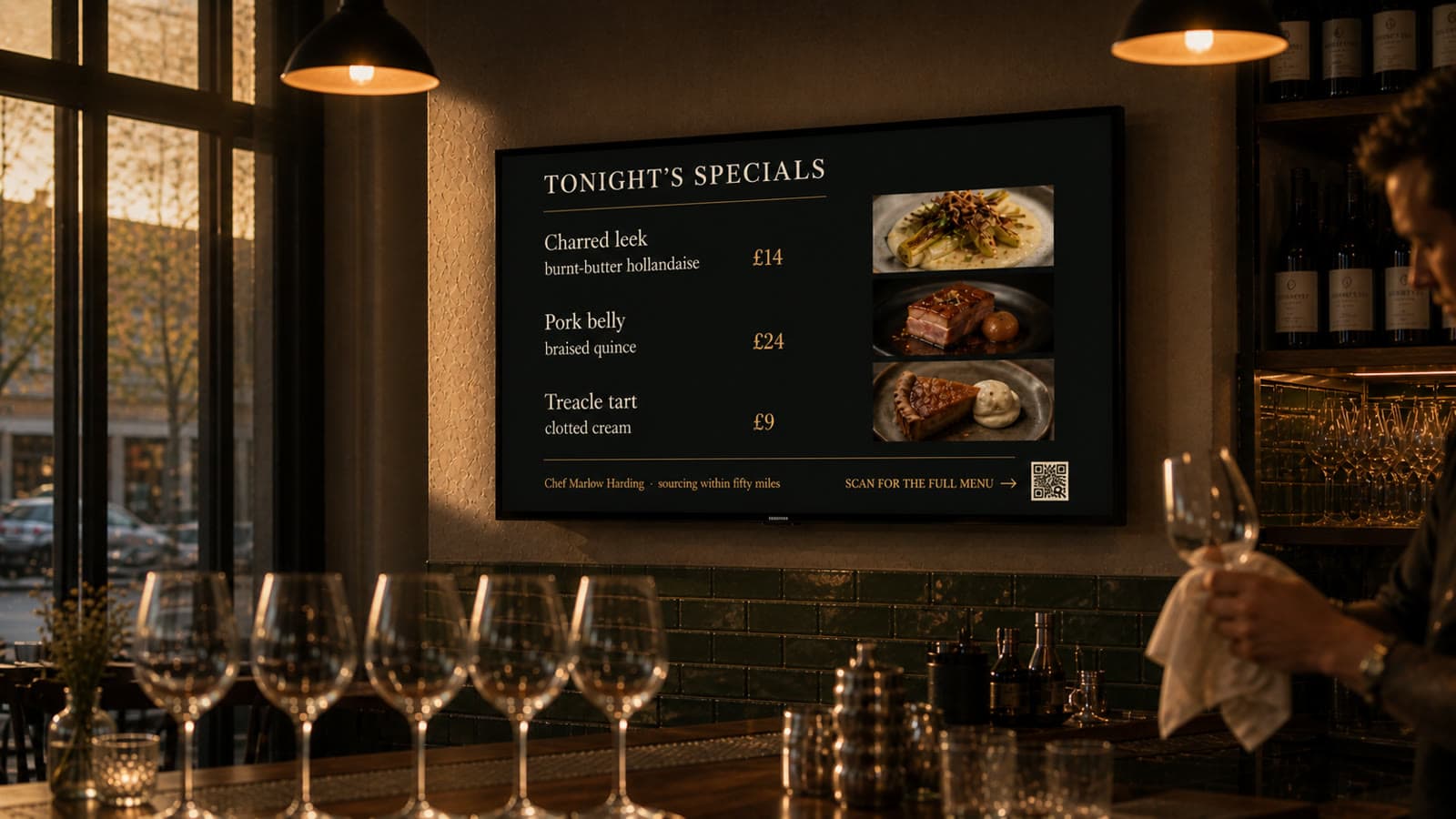
Table 9 design made in AI Studio: Charred leek · pork belly · treacle tart
Table 9Charred leek · pork belly · treacle tart
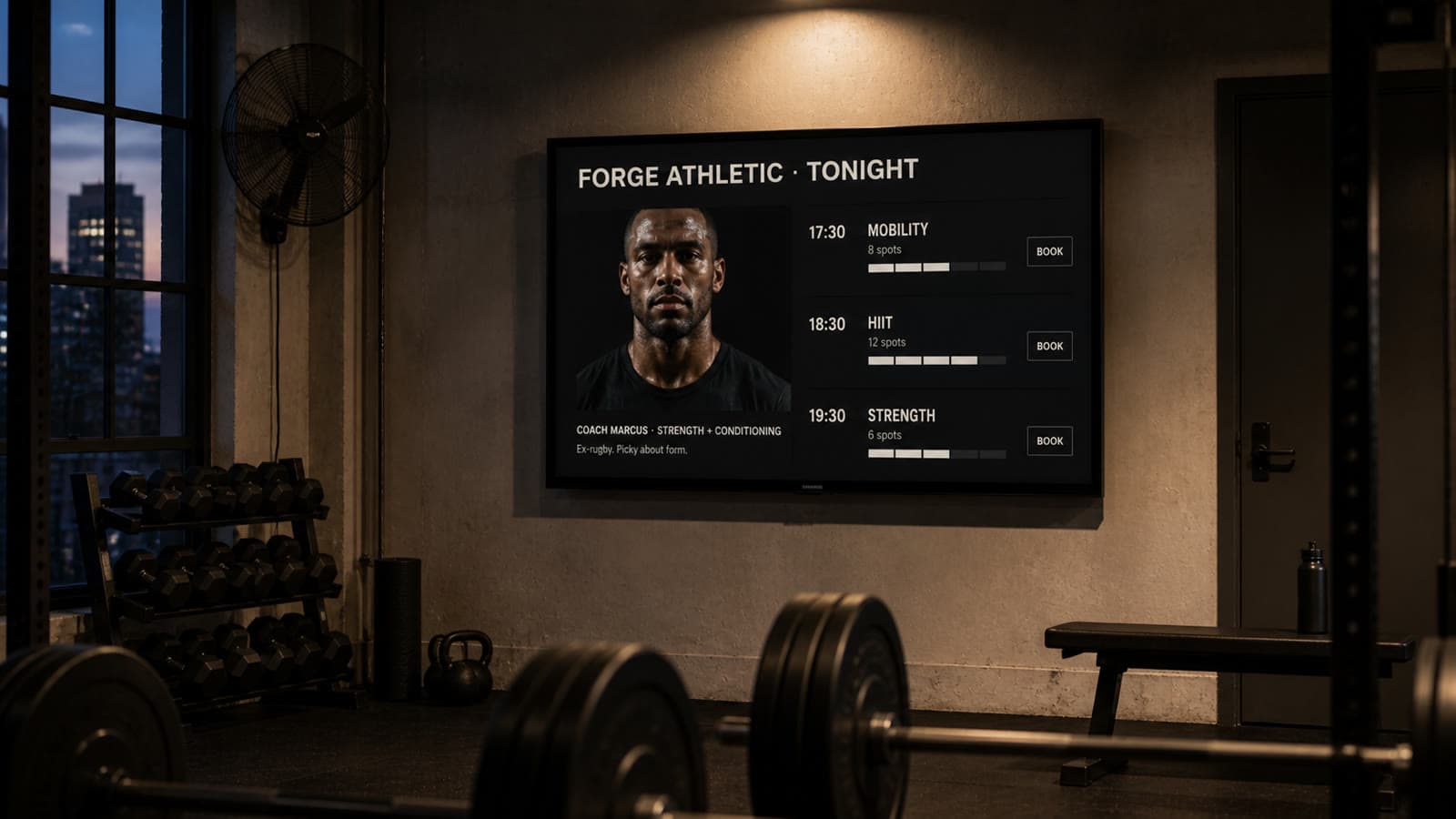
Forge Athletic design made in AI Studio: HIIT 18:30 · Coach Marcus · 12 spots
Forge AthleticHIIT 18:30 · Coach Marcus · 12 spots
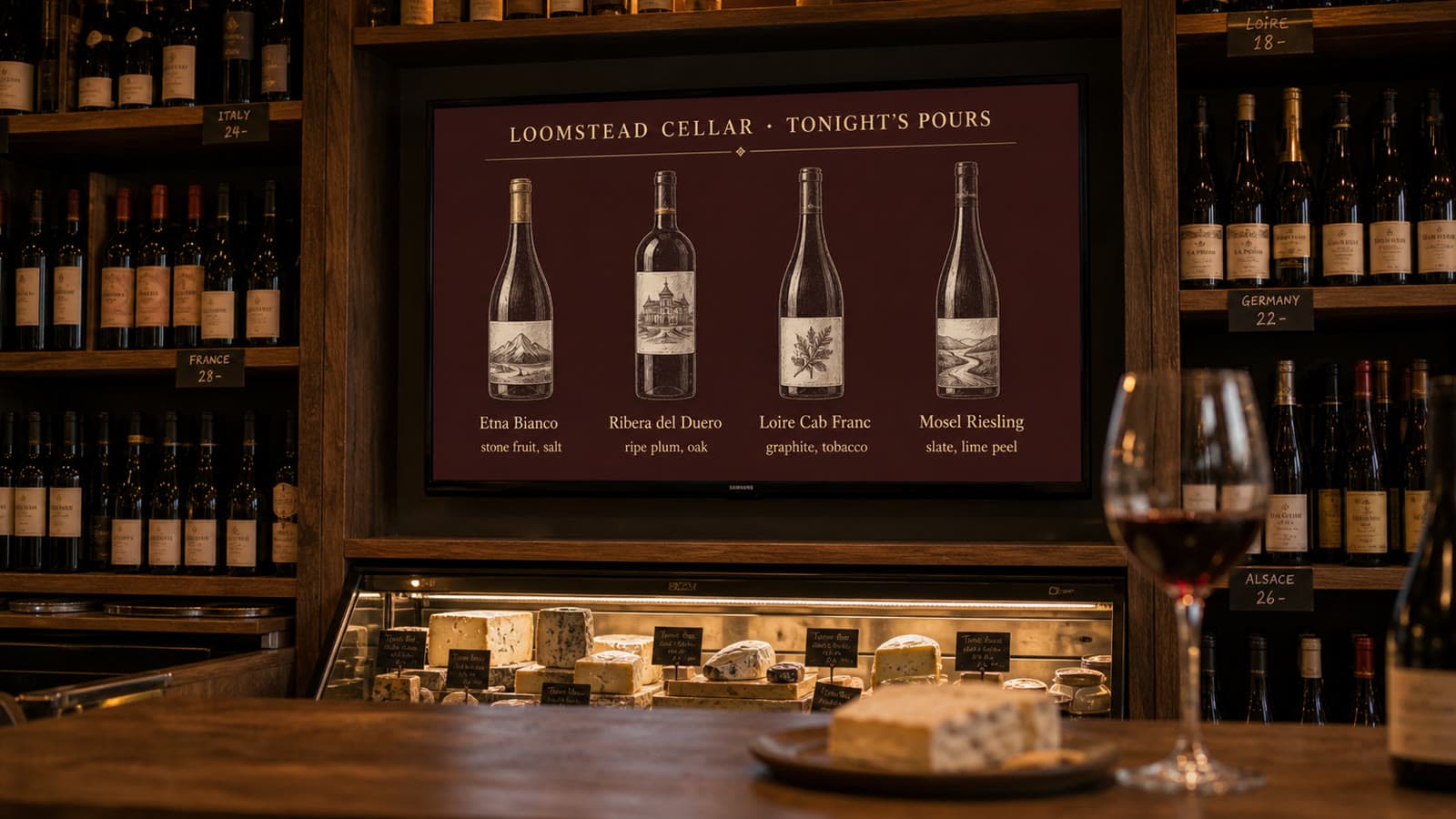
Loomstead Cellar design made in AI Studio: Etna Bianco · Loire Cab Franc · Riesling
Loomstead CellarEtna Bianco · Loire Cab Franc · Riesling

Put it in order. Choose how long each item plays.

Drag items into the order you want, set how long each one plays and pick a transition. Send the playlist to one screen, a group of screens or one part of a screen.

  • Designs, photos, video, web pages, YouTube and QR items
  • Fade, cut or slide between items · shuffle
  • Any item can carry a weather condition
Weather conditions →

Play YouTube videos.

Paste a link and it becomes an item with a title, a thumbnail and a length. Mute it, loop it, trim it. Or share it to VERSE straight from the YouTube app.

  • YouTube, Vimeo, web pages and Google Slides
  • Cached for offline where the platform’s terms allow
  • Add to a playlist, keep in the library, or play now as a takeover

Plan the week, hour by hour.

Drag on the calendar to schedule content for a screen, a group or the whole venue. When two things overlap, the layer decides: base, daypart, campaign, then takeover.

  • Base · Daypart · Campaign · Takeover
  • Drag on the grid to create a block
  • Designs, photos, video, YouTube and web pages
Screen ManagerContent · CalendarExample
Your day on the screen

Menus in the morning, the hot drinks board after lunch.

The schedule runs the day for you. Paid ad slots fit between your own content, in the ad time you choose, and show up in Earnings the same day.

Weather rules

Show the right thing for the weather.

VERSE follows the Met Office forecast for each venue. Give any item a condition, such as rain or above 20°, and it only plays when the weather matches. Everything else carries on as normal.

Now in Hackney · try a condition
14 °C
The counter screen plays
  • Morning menuPlays
  • Hot chocolatePlays · Only when raining or below 12°
  • Iced drinksSkipped · Only when dry and above 20°
  • Sun terrace openSkipped · Sunny · above 18°
  • Loyalty cardPlays
Nine conditions and the temperature
  • Sunny
  • Partly cloudy
  • Cloudy
  • Rainy
  • Thunderstorm
  • Snowy
  • Foggy
  • Windy
  • Clear night
Plus a minimum and a maximum temperature, so a rule can say “raining and below 12°” or “dry and above 22°”.
Per itemThe hot drinks board only when it rains. The terrace card only above 20°.
Per blockA schedule block or a takeover that arms itself when the forecast turns.
On HomeThe weather card tells you which rule arms and when, before it happens.
Custom layouts and widgets · Business and up

Split one screen into parts.

Show the menu, an offer and a news ticker on the same screen. Each part plays its own playlist. Start from a template, or add a part such as the time or the weather and resize it.

  • Full screen · menu + sidebar · sidebar + ticker · 2 × 2 · portrait split
  • Any zone: playlist, design, web page, YouTube, clock or weather
  • Apply to one screen, a group or the venue
Display groups

Make several screens play together.

Pick the screens, name the group and give it a playlist. They change at the same moment, and any schedule or takeover you set reaches all of them.

  • In sync across the room, or the same loop offset
  • A screen can move groups from its own menu
  • Groups across venues in Pro: “All counters”
The app

Everything, from your phone.

Pair a screen, change the schedule, design in AI Studio, restart a player and withdraw your earnings. All in the app.

  • Home knows what needs you

    Screens playing, what needs a fix, today’s earnings and ad fill, in one stack of cards.
  • Pair a screen in three steps

    Scan the code on the TV or type six digits, pick the venue, name the screen.
  • Every screen, live

    Thumbnails of what each screen plays now, with its status, across all your venues.
  • Schedule by drag

    Drag a block onto the day, pull the edge to stretch it. Base, daypart and takeover layers.
  • Today’s content at a glance

    The day ribbon, what plays now and the library, per venue.
  • AI Studio in your brand

    Landing pages, menu boards, promotions, photos, video loops and events, from each venue’s brand kit.
  • Earnings and withdrawals

    Balance, today by hour, by screen and by advertiser. Withdraw $50, $100 or all.
VERSE Agent

Ask, approve, done.

Ask in your own words, for example “put the pastry offer on the counter screen from 2 pm”. VERSE Agent shows what it will do and waits for your OK.

Ask VERSE · Screen ManagerAgent orb in the app
Ask anything, or give it a job

Pick a request. The Agent shows its plan, the money and the credits involved, then waits for you.

See every screen at a glance.

See what each screen is playing right now and which ones need you. Restart a screen or take it over in one tap.

  • Uptime for the last 7 days, per screen
  • Give staff access to just their venue
  • A notification when a screen goes offline
Screen ManagerScreensExample

Home shows what needs your attention.

Fixes you can apply in one tap, today’s weather and what plays next.

  • Restart, update or pair in one tap
  • The weather for each venue
  • Ask VERSE Agent for anything else
Screen ManagerHomeExample
Offline resilience

The Wi-Fi drops. The screen keeps playing.

VERSE TV caches the playlist and keeps counting plays while offline. When the connection comes back, the counts sync to Screen Manager.

72 hof content cached, with plays and scans still logged
Essentials and Pro

Essentials for one café. Pro for many venues.

Essentials comes with every plan and keeps things short and guided. Pro mode comes with Business, Clear and Enterprise and adds layouts, groups, store plans, team roles and the audit log. Same account, same data.

EssentialsEvery plan

For one venue

  • Home
  • Screens
  • Content
  • Earnings
  • Pair a TV in a minuteScan the code on the screen with your phone.
  • Schedule by dragPut blocks on your day. Weather playlists switch on their own.
  • AI StudioMenus, offers and posters from one sentence.
  • YouTube, web links and takeoversPlay any link, take over every screen, restart in one tap.
  • Ask VERSEAnything else, in plain words.
ProBusiness, Clear and Enterprise

For many venues

  • Dashboard
  • Venues
  • Layouts
  • Retail
  • Schedule
  • Team
Everything in Essentials, plus

See every venue

  • One dashboardAll venues in one view, uptime per screen, offline summary.
  • Display groupsGroup screens across venues and play to them at once.

Shape the screens

  • Custom layoutsZones with clock, weather, ticker and countdown widgets.
  • Store floor plansZones and a screen for each position in the store.

Schedule at scale

  • Four schedule layersA clear winning order, plus bulk actions.

Control the team

  • Roles by venueOwner, Manager and Staff. Audit log, API and webhooks.
  • Brand controlsScheduled reports, ad category and brand blocks.
Screen ManagerDashboardExample
One screen, two jobs

Your content first. Paid slots in the time you choose.

Your playlist runs as normal. A brand’s ad, up to 20 seconds long, plays between your items, within the ad time you choose for each hour, and you keep 25 to 35% of what it earns.

Where the money goes

Paid by the brand, shared with you.

Brands pay VERSE by the impression. Your share lands in Earnings the same day, and you withdraw when you like.

Uptime and your share

Keep screens on, earn a bigger share.

Each month your venue gets a score: half uptime during opening hours, half the ad time you give each hour. Below 70 you earn 25% of the ad revenue, from 70 you earn 30%, from 90 you earn 35%.

Earnings

Screens that pay you back.

Brands pay to show their ads on your screens. You choose how much time you’d like to give to ads each hour, block categories or brands, and keep 25 to 35% of the ad revenue.

6 min an hour
Your own content plays the other 54 min of each hour.
96%
The share of your opening hours the screen was online and playing. We measure it from the player, every minute.
Your share of ad revenue
30%Good
Score78
Score 78, from your uptime and ad time. More ad time or uptime reaches Excellent at 35%.
Standardbelow 7025%
Good70 to 8930%
Excellent90 and above35%
Worked example$880 of ad revenue × 30% = $264 to the venue
Withdraw any time by BACS, SEPA or wire, in GBP, USD, EUR, TND, AED and more. Free over $200, no minimum, statements and tax documents included.
$20VERSE Sense, coming soon.A USB-C footfall and dwell sensor, in development. No camera, no personal data, shipping included. When it ships, real visitor counts replace the modelled footfall in your venue’s profile.

Free, or ad-free.

Compare plans →
Café YasmineCarrefourDar Jasmin · Salon de théCafé La MarsaKamiounEl Médina · Café

Questions venues ask

Screens, content, the app and what ads mean for you.

All questions →

No. VERSE TV installs on Samsung Tizen, LG webOS, Android TV, Google TV, Amazon Fire TV, Windows and Linux, including Raspberry Pi. Any browser works at hub.verse.ad/screen.

Yes. Unlimited screens, content, schedules, playlists, landing pages and the app, with no per-screen fee and no trial. If you’d rather have no ads, you can opt for a subscription that keeps the venue ad-free, at $49 a month.

Brand-safe ads, in the ad time you choose. They are matched to your kind of venue. Block categories such as alcohol or gambling, single brands, competitors and late-night ads.

Each month your venue gets a score: half uptime during opening hours, half the ad time you give each hour. Below 70 you keep 25% of the ad revenue, from 70 you keep 30%, from 90 you keep 35%. Ads can be up to 20 seconds long.

Yes, in Pro. Pick a layout such as menu + sidebar + ticker or 2 × 2, or draw your own. Each zone plays its own playlist on its own clock with its own weather rules. Ads play full screen in their slot, then the layout returns.

Put them in a display group. They share one playlist, one schedule and one takeover, and change together frame for frame. In Pro a group can span venues.

Paste a link, or share to VERSE from the YouTube app. It becomes an item with a title, thumbnail and length that you can mute, loop and trim. Where the platform terms allow, the player caches it for offline.

Sunny, partly cloudy, cloudy, rainy, thunderstorm, snowy, foggy, windy and clear night, plus a minimum and maximum temperature, from the Met Office feed for each venue. Rules go on playlist items, schedule blocks and takeovers.

Essentials is Home, Screens, Content and Earnings with guided flows, on every plan. You can opt for a paid subscription that adds Pro mode: a multi-venue dashboard, custom layouts and widgets, retail store plans, display groups, four schedule layers, roles scoped by venue, the audit log and the API.

The player keeps playing cached content and keeps logging plays and scans for up to 72 hours. Everything syncs when it is back.

Free forever

Get your first screen playing today.

Install VERSE TV, pair it from your phone, and your first playlist plays in about a minute.